Quick answer: The SSIS error The specified provider is not supported. Please choose a different provider in Connection Manager commonly occurs when the provider referenced by an OLE DB connection manager is not installed or is not available to the SSIS runtime. For SQL Server connections, use the supported Microsoft OLE DB Driver for SQL Server instead of the deprecated SQL Server Native Client. SQL Server Native Client (SQLNCLI/SQLNCLI11) is not shipped with SQL Server 2022 or SSMS 19 and later.

Cause of the issue
The connection manager references an OLE DB provider that is missing, unavailable to the process architecture, or no longer supported on the target server. A common example is a package that still uses SQLNCLI11 while running on SQL Server 2022, where SQL Server Native Client is no longer shipped.
Solution
1. Install the Microsoft OLE DB Driver for SQL Server
Install a supported version of the Microsoft OLE DB Driver for SQL Server on the machine where the SSIS package executes. Microsoft identifies MSOLEDBSQL19 as the current OLE DB driver.
2. Change the SSIS connection manager provider
In SSDT/Visual Studio, open the OLE DB connection manager and select Microsoft OLE DB Driver for SQL Server as the provider. Microsoft documents this provider as the supported option for current SQL Server connectivity.
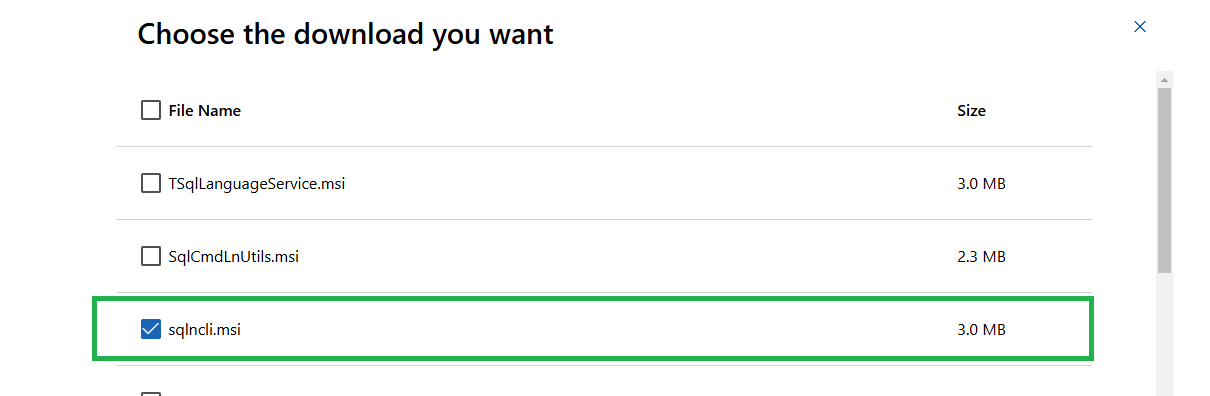
3. Check 32-bit and 64-bit provider availability
If the provider is installed but does not appear in the connection manager, check whether the SSIS package is running in a different process architecture. Microsoft provides guidance for checking installed OLE DB providers and their registry entries.
What about SQLNCLI11?
SQL Server Native Client can still exist on older systems and may be required by legacy packages, but Microsoft does not recommend it for new development. For current SSIS packages, migrate SQLNCLI-based connections to the Microsoft OLE DB Driver for SQL Server where compatible.
Pro tips:
When migrating SSIS packages to SQL Server 2022 or newer environments, check every OLE DB connection manager for deprecated SQLNCLI/SQLOLEDB providers and validate the package using the same driver architecture used at runtime.
See more

Visual Studio Marketplace
SSIS Catalog Migration Wizard
Extend Visual Studio with an easy way to migrate SSIS Catalog projects.

Kunal Rathi
With over 15 years of experience in data engineering and analytics, I've assisted countless clients in gaining valuable insights from their data. As a dedicated supporter of Data, Cloud and DevOps, I'm excited to connect with individuals who share my passion for this field. If my work resonates with you, we can talk and collaborate.